CSRF Protection for Web Forms: A Developer's Guide
CSRF attacks exploit trusted sessions. Learn token implementation, SameSite cookies, and framework solutions.
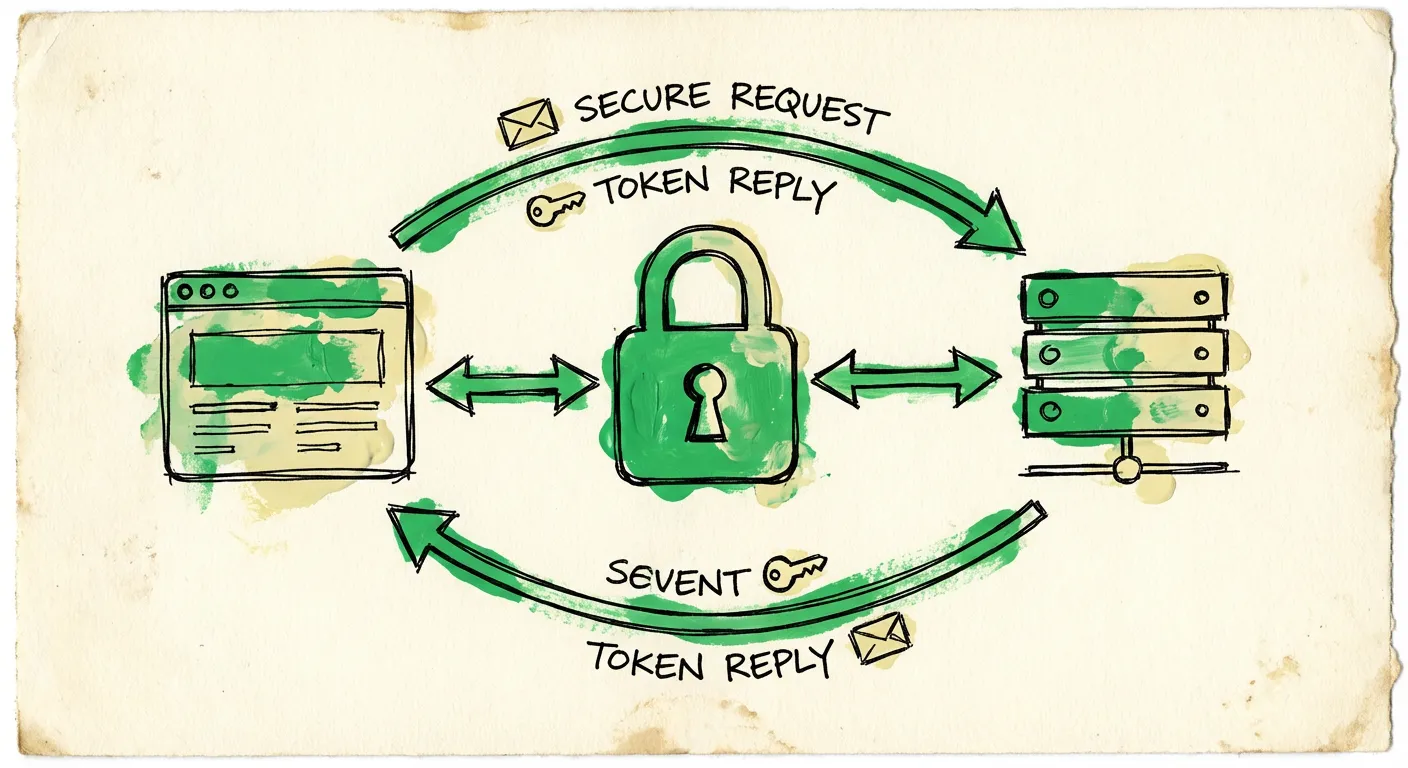
Your user is logged in. They visit a malicious site. That site submits a hidden form to your server. Your server sees valid session cookies and processes the request. Congratulations, you just got CSRF’d.
Cross-Site Request Forgery is one of the oldest web security vulnerabilities. It’s also one of the most misunderstood. Developers either over-engineer defenses or skip them entirely. Neither approach works.
This guide covers practical CSRF protection. We’ll start with how attacks work, then move to token implementation, SameSite cookies, and framework-specific solutions. Code examples included.
How CSRF Attacks Work
CSRF exploits a simple fact: browsers automatically send cookies with every request to a domain. If you’re logged into your bank and visit an attacker’s page, that page can trigger requests to your bank. Your browser dutifully attaches your session cookie.
Here’s a basic attack:
<!-- On evil-site.com -->
<form action="https://yourbank.com/transfer" method="POST" id="attack">
  <input type="hidden" name="to" value="attacker-account" />
  <input type="hidden" name="amount" value="10000" />
</form>
<script>
  document.getElementById('attack').submit();
</script>
When a logged-in user visits this page, the form auto-submits. The bank’s server sees a valid session cookie and processes the transfer. The user sees nothing—maybe a brief page flash.
CSRF attacks don’t steal data directly. They make your server execute actions on behalf of authenticated users. Password changes. Email updates. Financial transactions. Anything a form can do.
Why Cookies Are the Problem
Cookies were designed before web security mattered. They’re sent automatically based on domain, not based on which site initiated the request. This is called “ambient authority”—credentials travel with requests regardless of origin.
The Same-Origin Policy prevents JavaScript from reading cross-origin responses. But it doesn’t prevent cross-origin requests from being sent. That’s the gap CSRF exploits.
Modern browsers have closed this gap with SameSite cookies. But you can’t rely on that alone. Legacy browsers exist. Configuration mistakes happen. Defense in depth matters.
CSRF Tokens: The Primary Defense
The standard protection is a CSRF token. It’s a random value tied to the user’s session. Forms include it as a hidden field. The server validates it on submission.
Attackers can’t read the token (Same-Origin Policy blocks that). They can’t guess it (it’s cryptographically random). So they can’t forge valid requests.
Token Requirements
A proper CSRF token must be:
- Cryptographically random: Use a CSPRNG, not Math.random()
- Session-bound: Tied to the user’s session, not reused across users
- Single-use or time-limited: Preferably invalidated after use
- Transmitted securely: Never in URLs (they leak in referrer headers)
Basic Token Implementation
Here’s a minimal implementation in Node.js/Express:
// middleware/csrf.ts
import crypto from 'crypto';
import { Request, Response, NextFunction } from 'express';

declare module 'express-session' {
  interface SessionData {
    csrfToken?: string;
  }
}

export function generateToken(): string {
  return crypto.randomBytes(32).toString('hex');
}

export function csrfProtection(
  req: Request,
  res: Response,
  next: NextFunction
) {
  // Generate token if none exists
  if (!req.session.csrfToken) {
    req.session.csrfToken = generateToken();
  }

  // Make token available to views
  res.locals.csrfToken = req.session.csrfToken;

  // Skip validation for safe methods
  if (['GET', 'HEAD', 'OPTIONS'].includes(req.method)) {
    return next();
  }

  // Validate token on state-changing requests
  const submittedToken = req.body._csrf || req.headers['x-csrf-token'];

  if (!submittedToken || submittedToken !== req.session.csrfToken) {
    return res.status(403).json({ error: 'Invalid CSRF token' });
  }

  next();
}
And the form:
<form action="/transfer" method="POST">
  <input type="hidden" name="_csrf" value="{{csrfToken}}" />
  <input type="text" name="amount" />
  <button type="submit">Transfer</button>
</form>
Token Rotation
Some implementations rotate tokens on every request. This adds security but causes issues with browser back buttons and multiple tabs. A middle ground: rotate tokens on session creation and after sensitive actions (login, password change).
export function rotateToken(req: Request): string {
  const newToken = generateToken();
  req.session.csrfToken = newToken;
  return newToken;
}

// In login handler
app.post('/login', async (req, res) => {
  const user = await authenticate(req.body);
  if (user) {
    req.session.userId = user.id;
    rotateToken(req); // New token after login
    res.redirect('/dashboard');
  }
});
Double Submit Cookies
An alternative to session-bound tokens is the double submit pattern. Send the token as both a cookie and a form field. The server compares them. If they match, the request is legitimate.
This works because attackers can’t read cookies from other domains. They can trigger requests that send cookies, but they can’t know the cookie value to include it in the form.
// Set CSRF cookie
res.cookie('csrf', generateToken(), {
  httpOnly: false, // JavaScript needs to read this
  secure: true,
  sameSite: 'strict'
});

// Client-side: read cookie and include in request
const csrfToken = document.cookie
  .split('; ')
  .find(row => row.startsWith('csrf='))
  ?.split('=')[1];

fetch('/api/transfer', {
  method: 'POST',
  headers: {
    'Content-Type': 'application/json',
    'X-CSRF-Token': csrfToken
  },
  body: JSON.stringify({ amount: 100 })
});
Server validation:
function validateDoubleSubmit(req: Request): boolean {
  const cookieToken = req.cookies.csrf;
  const headerToken = req.headers['x-csrf-token'];

  return cookieToken && headerToken && cookieToken === headerToken;
}
Double submit is stateless—no server-side storage needed. The tradeoff: it’s vulnerable if an attacker can set cookies on your domain (subdomain takeover, XSS on a sibling subdomain).
SameSite Cookies
SameSite is a cookie attribute that restricts when cookies are sent. It has three values:
- Strict: Cookies only sent for same-site requests
- Lax: Cookies sent for same-site requests + top-level GET navigations
- None: Cookies always sent (requires Secure flag)
Modern browsers default to Lax. This blocks most CSRF attacks—forms submit via POST, and Lax blocks cross-site POST requests.
// Session cookie configuration
app.use(session({
  secret: process.env.SESSION_SECRET,
  cookie: {
    httpOnly: true,
    secure: true,
    sameSite: 'strict', // Maximum protection
    maxAge: 24 * 60 * 60 * 1000
  }
}));
Strict vs Lax
Strict is safest but can break user experience. If a user clicks a link to your site from an email, they won’t be logged in—the session cookie won’t be sent.
Lax is a reasonable default. It protects against POST-based CSRF while allowing normal link navigation. Most authentication cookies should use Lax at minimum.
Browser Support
SameSite is widely supported now. But older browsers ignore it entirely. Edge cases exist. Don’t rely on SameSite alone—use it as defense in depth alongside tokens.
Framework-Specific Solutions
Next.js
Next.js doesn’t include built-in CSRF protection. For API routes, you have options.
Using next-csrf:
// lib/csrf.ts
import { nextCsrf } from 'next-csrf';

const { csrf, setup } = nextCsrf({
  secret: process.env.CSRF_SECRET
});

export { csrf, setup };
// pages/api/form.ts
import { csrf } from '@/lib/csrf';
const handler = async (req, res) => {
// Process form
res.json({ success: true });
};
export default csrf(handler);For Next.js App Router with Server Actions, the framework handles some CSRF protection automatically. Server Actions only accept POST requests and validate the origin header. But adding explicit token validation is still recommended for sensitive operations:
// app/actions.ts
'use server';

import { cookies, headers } from 'next/headers';
import crypto from 'crypto';

export async function getCSRFToken() {
  const token = crypto.randomBytes(32).toString('hex');
  cookies().set('csrf', token, {
    httpOnly: true,
    sameSite: 'strict',
    secure: true
  });
  return token;
}

export async function submitForm(formData: FormData) {
  const cookieStore = cookies();
  const storedToken = cookieStore.get('csrf')?.value;
  const submittedToken = formData.get('_csrf');

  if (!storedToken || storedToken !== submittedToken) {
    throw new Error('Invalid CSRF token');
  }

  // Process form
}
Express
Use the csurf package or build your own:
import csrf from 'csurf';
import cookieParser from 'cookie-parser';

app.use(cookieParser());
app.use(csrf({ cookie: true }));

// Error handler
app.use((err, req, res, next) => {
  if (err.code === 'EBADCSRFTOKEN') {
    return res.status(403).json({ error: 'Invalid CSRF token' });
  }
  next(err);
});

// Make token available to views
app.use((req, res, next) => {
  res.locals.csrfToken = req.csrfToken();
  next();
});
Note: csurf is deprecated. For new projects, consider csrf-csrf or implement your own using the patterns above.
React Forms
For SPAs, fetch the token from an endpoint and include it in requests:
// hooks/use-csrf.ts
import { useState, useEffect } from 'react';

export function useCsrf() {
  const [token, setToken] = useState<string | null>(null);

  useEffect(() => {
    fetch('/api/csrf-token')
      .then(res => res.json())
      .then(data => setToken(data.token));
  }, []);

  return token;
}

// components/form.tsx
export function SecureForm() {
  const csrfToken = useCsrf();
  const [isSubmitting, setIsSubmitting] = useState(false);

  async function handleSubmit(e: React.FormEvent<HTMLFormElement>) {
    e.preventDefault();
    setIsSubmitting(true);

    const formData = new FormData(e.currentTarget);

    await fetch('/api/submit', {
      method: 'POST',
      headers: {
        'Content-Type': 'application/json',
        'X-CSRF-Token': csrfToken || ''
      },
      body: JSON.stringify(Object.fromEntries(formData))
    });

    setIsSubmitting(false);
  }

  return (
    <form onSubmit={handleSubmit}>
      <input type="hidden" name="_csrf" value={csrfToken || ''} />
      {/* Form fields */}
      <button type="submit" disabled={isSubmitting || !csrfToken}>
        Submit
      </button>
    </form>
  );
}
Common Mistakes
Relying on Referer Checks Alone
The Referer header can indicate where a request originated. Some developers use it for CSRF protection:
// DON'T rely on this alone
function checkReferer(req: Request): boolean {
  const referer = req.headers.referer;
  return referer?.startsWith('https://yoursite.com');
}
Problems: Referer can be stripped by privacy tools, proxies, or browser settings. Some legitimate requests have no Referer. Use it as an additional signal, not the primary defense.
Tokens in URLs
Never put CSRF tokens in URLs:
<!-- DON'T do this -->
<a href="/delete?csrf=abc123">Delete</a>
URLs leak through Referer headers, browser history, server logs, and shared links. Always use POST with tokens in the body or headers.
Predictable Tokens
Tokens must be cryptographically random:
// DON'T do this
const badToken = Date.now().toString(); // Predictable
const badToken2 = Math.random().toString(); // Weak PRNG

// DO this
const goodToken = crypto.randomBytes(32).toString('hex');
Skipping Protection for “Internal” APIs
All state-changing endpoints need protection. It doesn’t matter if they’re “internal” or “only used by your own frontend.” If they accept cookies, they’re vulnerable.
Testing CSRF Protection
Manual testing is straightforward. Create an HTML file on a different origin:
<!DOCTYPE html>
<html>
<head><title>CSRF Test</title></head>
<body>
  <form action="http://localhost:3000/api/sensitive" method="POST">
    <input type="hidden" name="data" value="malicious" />
    <button type="submit">Test CSRF</button>
  </form>
</body>
</html>
Serve it from a different port or domain. Submit while logged into your app. If the request succeeds without a valid token, you have a vulnerability.
Automated testing with Playwright or Cypress:
// cypress/e2e/csrf.cy.ts
describe('CSRF Protection', () => {
  it('rejects requests without valid token', () => {
    cy.request({
      method: 'POST',
      url: '/api/sensitive',
      body: { data: 'test' },
      failOnStatusCode: false
    }).then(response => {
      expect(response.status).to.eq(403);
    });
  });

  it('accepts requests with valid token', () => {
    // Get token first
    cy.request('/api/csrf-token').then(tokenResponse => {
      cy.request({
        method: 'POST',
        url: '/api/sensitive',
        headers: {
          'X-CSRF-Token': tokenResponse.body.token
        },
        body: { data: 'test' }
      }).then(response => {
        expect(response.status).to.eq(200);
      });
    });
  });
});
Beyond CSRF: Layered Form Security
CSRF protection stops forged requests. But forms face other threats: spam, bots, malicious content, disposable emails. A complete solution addresses all of these.
FormShield combines CSRF-like protections with broader form security:
import { checkForm } from '@formshield/next';

export async function POST(request: NextRequest) {
  const data = await request.json();

  const result = await checkForm({
    email: data.email,
    name: data.name,
    content: data.message,
    ip: request.ip,
    metadata: {
      formLoadedAt: data.metadata.loadTime,
      honeypotField: data.website
    }
  });

  if (result.action === 'block') {
    // Return fake success to avoid revealing detection
    return NextResponse.json({ success: true });
  }

  // Process legitimate submission
}
FormShield validates IP reputation, checks email authenticity, analyzes content for spam patterns, and detects bot behavior. It’s the layer after CSRF—once you’ve verified the request is intentional, FormShield verifies it’s legitimate.
Summary
CSRF protection isn’t optional. Any form that performs actions on behalf of authenticated users needs it.
The essentials:
-
Use CSRF tokens for all state-changing requests. Generate them securely, bind them to sessions, validate server-side.
-
Set SameSite cookies to Lax or Strict. This blocks most attacks even if other defenses fail.
-
Don’t skip protection for any endpoint that accepts cookies and modifies state.
-
Test your implementation with cross-origin requests. Verify that forged requests fail.
-
Layer your defenses. CSRF tokens + SameSite cookies + origin validation. Any one can fail; multiple layers catch edge cases.
CSRF is a solved problem. The solutions are well-understood and widely supported. There’s no excuse for leaving your forms vulnerable.