How Email Spam Bots Find and Attack Your Contact Forms
Discover how spam bots discover, fingerprint, and attack your contact forms at scale. Learn why traditional defenses fail and how multi-signal detection actually stops modern bot attacks.
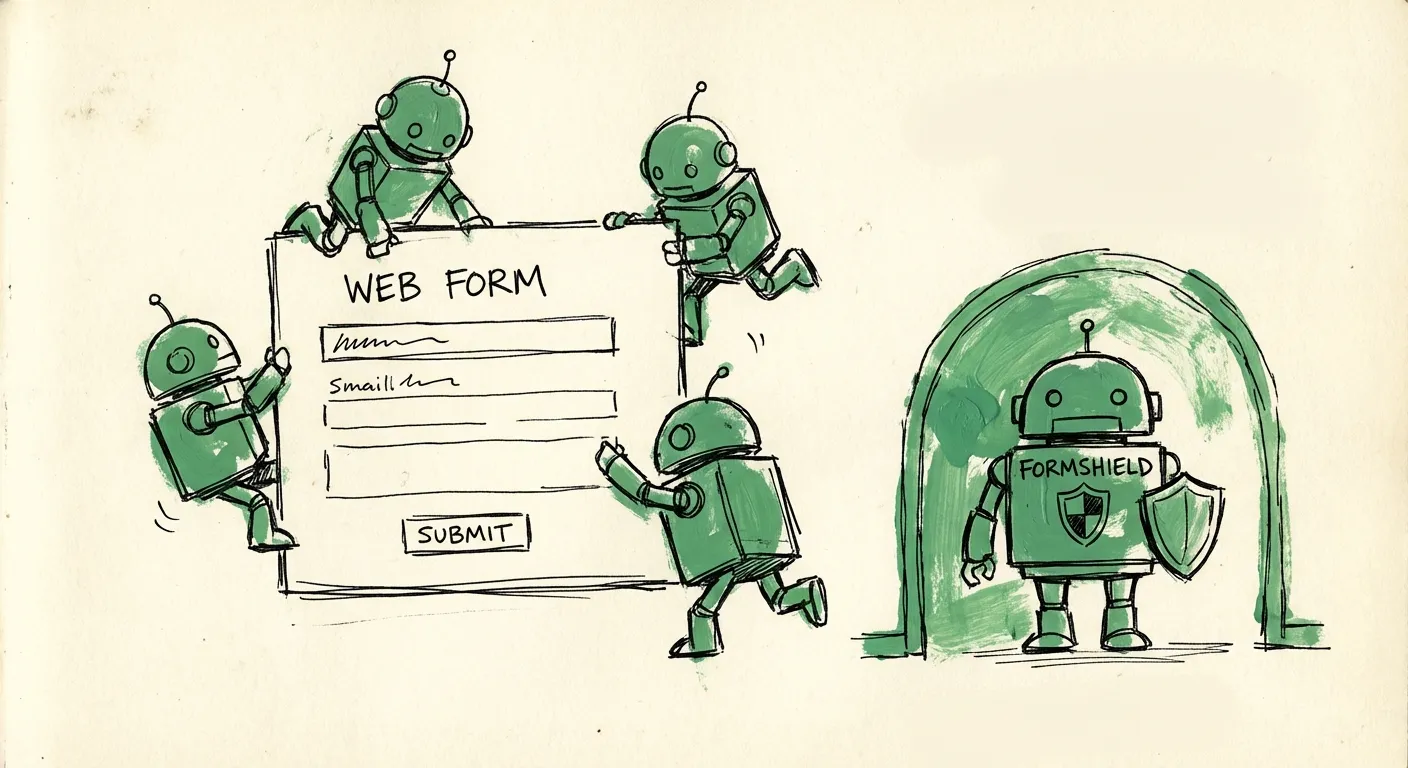
Your contact form went live on Tuesday. By Friday, you’re drowning in messages about cryptocurrency investments, SEO services, and links to sites you’d rather not think about. Sound familiar?
This isn’t bad luck. It’s the result of a sophisticated, automated ecosystem designed specifically to find and exploit forms like yours. Spam bots don’t stumble onto your contact page by accident—they hunt for it methodically.
Let’s pull back the curtain on exactly how these bots operate, why your current defenses probably aren’t working, and what actually stops them.
Phase 1: Discovery—How Bots Find Your Forms
Before a bot can spam your contact form, it needs to know it exists. This discovery phase is surprisingly sophisticated.
Web Crawling at Scale
Spam operators don’t manually search for contact forms. They run massive web crawling operations that scan the internet continuously. These crawlers work like search engines—except instead of indexing content, they’re building databases of exploitable forms.
A typical spam crawler starts with a seed list: millions of domains pulled from sources like zone file dumps, certificate transparency logs, or just scraping business directories. From there, the crawler visits each domain and follows links, looking for specific patterns.
The crawlers focus on high-value pages first. They know that /contact, /contact-us, /get-in-touch, and /support are common paths. They look for link text containing “contact,” “reach us,” or “get a quote.” They analyze navigation menus for customer service sections. Most sites make their contact forms trivially easy to find—which is great for users and equally great for bots.
Sitemap and Robots.txt Mining
Here’s something that might surprise you: many bots read your sitemap.xml file to find forms faster. Sitemaps are meant to help search engines index your site, but they’re public files that list every important page. If your contact form is in the sitemap, bots have a direct path to it.
Similarly, robots.txt files are goldmines for attackers. When you add Disallow: /admin to block crawlers from your admin panel, you’re also telling every bot exactly where your admin panel is. Sophisticated bots specifically look for disallowed paths because they often contain valuable targets.
Form Fingerprinting and Classification
Once a crawler finds a page, it needs to determine if there’s a form worth attacking. This is where form fingerprinting comes in.
Bots analyze the HTML structure to classify forms by type. They look for:
- Field names and IDs: Fields named “email,” “message,” or “phone” strongly suggest a contact form
- Input types: Email and textarea fields combined usually indicate message submission
- Form action URLs: Endpoints containing “contact,” “submit,” or “message” are high-priority targets
- Label text: Labels asking for “Your name” or “How can we help?” confirm the form’s purpose
- Submit button text: “Send Message” or “Get in Touch” are dead giveaways
Modern fingerprinting goes deeper. Bots extract CSS selectors, analyze field ordering, check for required attributes, and map out validation patterns. All of this information gets stored in databases shared across bot networks.
The result? Your form gets classified, tagged, and added to target lists that circulate through spam networks within hours of going live.
Phase 2: Reconnaissance—Understanding Your Defenses
Smart bots don’t attack blindly. Before launching a spam campaign, they probe your form to understand what defenses you’ve deployed.
Defense Detection
Bots send test submissions to map your security measures. They’re looking for:
Honeypot fields: Bots submit forms with all visible fields filled and watch what happens. If the submission fails, there’s probably a hidden field they missed. Advanced bots then re-analyze the page source to find CSS-hidden or off-screen inputs.
Rate limiting: By sending submissions at varying speeds, bots can determine if you’re throttling requests. They’ll find the exact threshold—say, 10 requests per minute—and stay just under it.
CAPTCHA presence: Bots detect CAPTCHA implementations by looking for specific script tags, iframe sources, or form elements. Different CAPTCHA providers have distinct signatures.
Email validation: A test submission with an invalid email format reveals whether you’re doing client-side or server-side validation, and how strict it is.
Response analysis: Does your form return different error messages for invalid emails vs. blocked content? These differences leak information about your detection logic.
Building Attack Profiles
All this reconnaissance data feeds into attack profiles. Each profile contains:
- The form URL and submission endpoint
- Required fields and their validation rules
- Detected defenses and their configurations
- Optimal submission timing to avoid rate limits
- Headers and cookies needed for successful submission
These profiles are often sold or shared in spam operator communities. When you see attacks that perfectly navigate your form despite its complexity, it’s because someone already mapped it out and shared the playbook.
Phase 3: Attack Infrastructure—Bot Networks and Resources
Individual spammers running single scripts are rare today. Modern spam operations use distributed infrastructure that makes them harder to detect and block.
Residential Proxy Networks
IP-based blocking is one of the oldest anti-spam techniques. Block the bad IPs, problem solved—right?
Bot operators solved this years ago with residential proxy networks. These are networks of compromised home routers, IoT devices, and computers infected with malware. When a bot needs to make a request, it routes through a random residential IP that looks completely legitimate.
These proxy networks are massive. Some claim millions of residential IPs across every country. From your perspective, each spam submission comes from a different “normal” IP address—an ISP in Kansas, a home connection in Manchester, a mobile carrier in Sydney. Good luck blocking those without nuking your legitimate users.
CAPTCHA Solving Services
Think CAPTCHA is your silver bullet? Spam operators don’t even bother bypassing them technically anymore. They outsource to human CAPTCHA farms.
Services like 2Captcha and Anti-Captcha employ thousands of workers—often in developing countries—who solve CAPTCHAs for pennies each. When a bot encounters a CAPTCHA, it sends the image to the service via API, a human solves it in seconds, and the solution comes back. Total cost: $1-3 per thousand CAPTCHAs. Total delay: 10-30 seconds.
For high-value spam (phishing, lead generation fraud), this is pocket change. Your CAPTCHA isn’t blocking bots—it’s just adding a small line item to their operating costs.
Fingerprint Spoofing
Modern anti-bot systems try to fingerprint visitors by analyzing browser characteristics: screen resolution, installed fonts, WebGL renderer, timezone, language settings, and dozens more data points. The theory is that bots can’t perfectly replicate a real browser’s fingerprint.
Bot frameworks have caught up. Tools like Puppeteer, Playwright, and specialized anti-detect browsers can spoof every fingerprintable attribute. They randomize fingerprints to avoid pattern detection. They execute JavaScript to trigger all the timing and interaction events that “prove” a real browser is present.
Sophisticated bot frameworks maintain pools of realistic browser profiles—complete with consistent fingerprints, cookie histories, and behavioral patterns—that they rotate through to avoid detection.
Form Autofill Engines
Bot operators have built specialized engines for filling forms. These aren’t simple scripts that paste the same text into every field. They’re context-aware systems that:
- Generate realistic-looking names from databases of first and last names
- Create convincing email addresses using common patterns (firstname.lastname@provider.com)
- Spin message content from templates to create unique submissions
- Vary submission timing to mimic human behavior
- Handle multi-step forms and conditional fields
The output looks disturbingly human. You can’t just look for obvious bot markers like “asdf asdf” names or test@test.com emails. Modern spam submissions use real-looking data.
Phase 4: The Attack—What Spam Campaigns Look Like
With infrastructure in place and target profiles ready, spam campaigns launch in waves.
Low and Slow Attacks
The most effective spam attacks are subtle. Instead of blasting 10,000 submissions per minute, smart operators send a trickle: 5-10 submissions per hour, spread across different IPs, each with unique content.
These low-and-slow attacks fly under the radar. Rate limits don’t trigger. Volume-based alerts stay silent. Each submission looks like a legitimate inquiry. By the time you notice the pattern, your inbox has hundreds of spam messages mixed with real leads.
Spray and Pray
At the other extreme, some operators don’t care about stealth. They have millions of form targets and cheap resources. Their strategy: hit everything fast, accept heavy losses, and rely on volume.
These attacks are obvious but overwhelming. You might see thousands of submissions in an hour. Even if 99% get blocked, 1% of 10,000 is still 100 spam messages—enough to accomplish their goal.
Targeted Phishing
The scariest attacks are targeted. A bot submits what looks like a normal business inquiry: “Hi, I’m interested in your services. Can you review the attached proposal? [malicious link]”
The message is well-written, contextually relevant, and comes from a professional-looking email. It’s designed to get opened and clicked by whoever reads your form submissions. If that person clicks the link, malware or credential phishing awaits.
Why Traditional Defenses Fail
By now you can probably see why basic anti-spam measures don’t cut it anymore.
Honeypots: Easily Detected
Honeypot fields work by hiding form inputs and assuming bots will fill them while humans won’t. This worked great in 2010.
Modern bots analyze CSS and JavaScript to identify visible vs. hidden fields. They check display: none, visibility: hidden, opacity: 0, and even pixel positioning. Fields positioned off-screen or styled to be invisible are skipped.
Honeypots still catch the dumbest bots, but those aren’t your real problem.
CAPTCHAs: Solved or Hated
We covered CAPTCHA farms, but there’s another problem: user experience. Studies consistently show CAPTCHAs hurt conversion rates. Users hate them. Mobile users especially hate them.
So you’re adding friction that annoys legitimate users while providing minimal protection against operators who budget $3 per thousand solutions. Not a great tradeoff.
Rate Limiting: Bypassed by Distribution
Rate limits assume attacks come from concentrated sources. Limit each IP to 5 requests per hour, and attackers are stuck—unless they have thousands of IPs.
With residential proxy networks providing millions of IP addresses, rate limiting is trivially bypassed. Each IP makes 1-2 requests, well under any reasonable limit, and the attack proceeds at scale.
Email Validation: Shallow Checks Don’t Work
Basic email validation checks format and maybe MX records. That’s it.
Attackers use real email domains with working MX records. They use disposable email services that pass basic validation. They even use compromised legitimate email accounts. Your regex pattern isn’t stopping anyone serious.
Single-Signal Detection: The Core Problem
Here’s the fundamental issue: every traditional defense looks at one signal in isolation. IP address. Email format. Field completion. Submission timing.
Attackers optimize against each signal independently. They use clean IPs, valid-looking emails, complete forms, and human-like timing. No single signal flags them.
Effective spam detection requires looking at everything together—and that’s exactly what most forms don’t do.
Multi-Signal Detection: How to Actually Stop Modern Bots
Stopping sophisticated spam requires combining multiple weak signals into a strong detection framework. Here’s what that looks like:
IP Intelligence Beyond Blocklists
Instead of just checking if an IP is on a blocklist, examine its characteristics. Is it a datacenter IP? A known VPN exit node? A residential proxy? What’s its reputation history? What country is it from, and does that match the supposed user’s details?
Individual IP signals aren’t conclusive, but they add evidence to the overall picture.
Deep Email Validation
Go beyond format checking. Is this a disposable email domain? How old is the domain? Does it have proper SPF/DKIM records? Has this email been seen in spam submissions before? Is the email pattern consistent with the claimed sender name?
A free Gmail address isn’t suspicious. A free Gmail address combined with a datacenter IP and instant form submission? That’s a pattern.
Content Analysis
Modern language models can detect spam content that rules miss. They identify promotional language, phishing patterns, suspicious links, and content that doesn’t match the form’s purpose.
But content analysis is expensive. You don’t want to run every submission through advanced AI. Smart systems use content analysis only when other signals are ambiguous—when a submission is neither obviously spam nor obviously legitimate.
Behavioral Signals
How long did the user spend on the page before submitting? Did they interact with other elements? Was form filling speed human-plausible? Did they trigger any JavaScript events that indicate real browser interaction?
Bots can fake some behavioral signals, but faking all of them consistently is hard. And any signal they get wrong adds to the detection score.
Network Effects
The most powerful signal is reputation data from across the network. Has this IP, email, or content pattern appeared in spam submissions to other forms? Attackers often reuse infrastructure and templates—spotting them once helps protect everyone.
Putting It All Together
Each signal above provides weak evidence. An email from a young domain could be spam or could be a legitimate startup. A submission from a VPN could be malicious or could be a privacy-conscious user. Instant form submission could be a bot or could be someone pasting a pre-written message.
But when you combine signals—VPN IP + young email domain + instant submission + promotional content keywords + no mouse movement + pattern matching known spam templates—the probability of spam approaches certainty.
This is exactly what FormShield does. One API call analyzes IP reputation, email validity, content patterns, and behavioral signals together. The response includes a spam score, confidence level, and detailed breakdown of which signals contributed.
Instead of wiring together multiple services and trying to combine their outputs yourself, you get a unified verdict: block, allow, challenge, or review.
The system learns from every submission across all protected forms. When new spam patterns emerge, detection improves automatically. When false positives occur, feedback refines the models. The more forms use the system, the better it gets for everyone.
The Reality of Modern Spam Defense
Spam bots aren’t going away. If anything, they’re getting more sophisticated as AI makes it easier to generate convincing content and bot frameworks get more powerful.
The good news: multi-signal detection actually works. By combining multiple weak signals into strong composite scores, you can block sophisticated attacks without blocking legitimate users.
The bad news: building this yourself is a massive undertaking. IP reputation databases, email validation infrastructure, content analysis pipelines, behavioral tracking, network effect aggregation—it’s a full product, not a weekend project.
Your contact form is how customers find you. Every spam message wastes your team’s time. Every missed legitimate inquiry is lost revenue. Every phishing link that gets clicked is a security incident waiting to happen.
The question isn’t whether to protect your forms. It’s whether to build protection yourself or use a system designed specifically for this problem.
FormShield offers a free tier—1,000 requests per month—that lets you see exactly how multi-signal detection works on your real traffic. No credit card, no commitment, just plug in the API and watch it catch spam your current defenses miss.
Because bots aren’t going to stop finding your forms. But that doesn’t mean they have to win.