TanStack Form Validation Tutorial: From Basics to Spam Protection
Learn how to build type-safe forms with TanStack Form, integrate Zod for schema validation, and add invisible spam protection that actually works. Complete with TypeScript examples for React and TanStack Start.
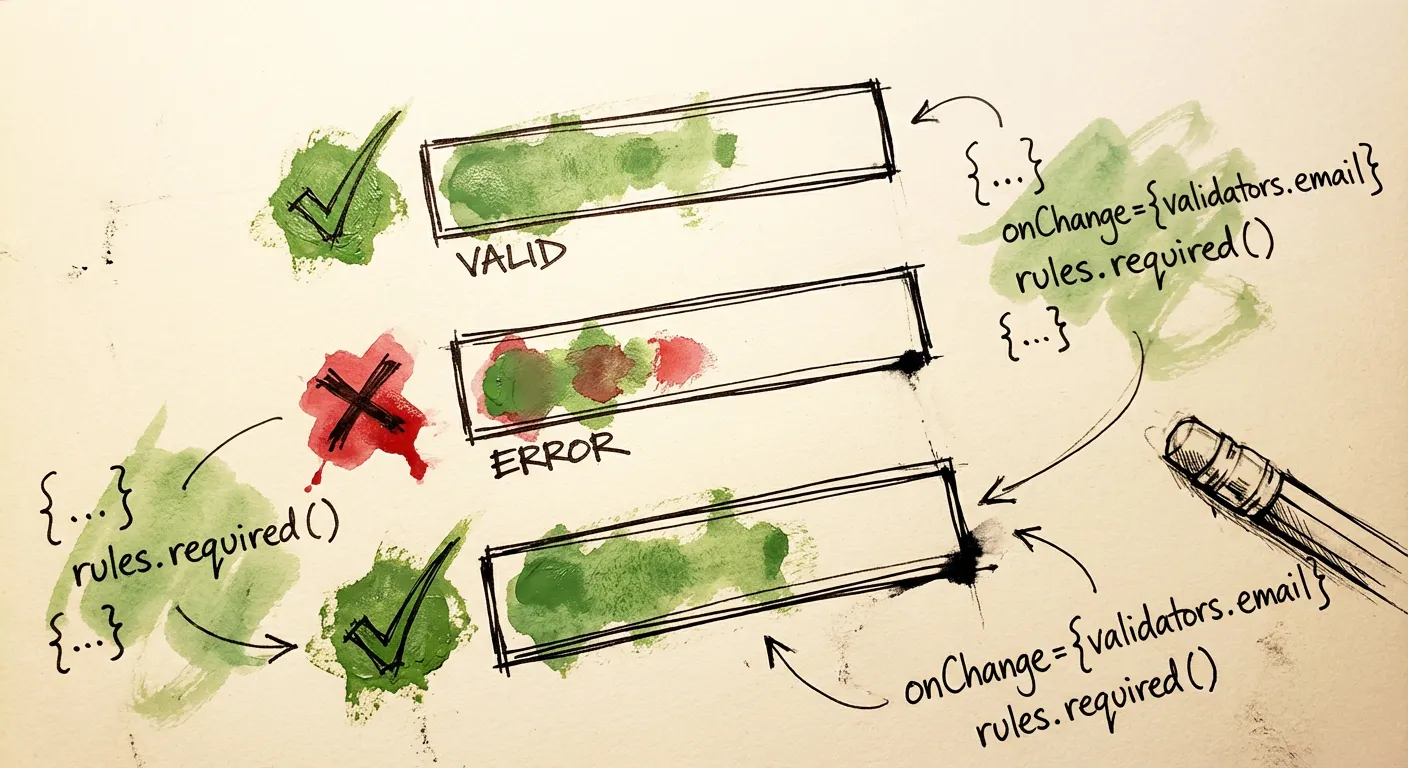
React Hook Form has dominated the form library space for years. But there’s a new contender that’s been quietly gaining traction: TanStack Form. If you’re already using TanStack Query or TanStack Router, this one fits right into your stack.
What makes TanStack Form different? It’s framework-agnostic (React, Vue, Solid, Angular, Lit), fully headless, and built from the ground up for TypeScript. The type inference is phenomenal. And unlike some form libraries, it plays nicely with server-side rendering and server functions.
This tutorial covers everything from basic setup to advanced patterns. We’ll build forms with client-side validation, integrate Zod schemas, handle async server validation, and add spam protection that doesn’t annoy your users. Let’s get into it.
Why TanStack Form?
A few things set TanStack Form apart from the alternatives:
True type safety. Field names, values, and errors are all inferred. Rename a field in your default values and TypeScript catches every reference.
Framework agnostic. The same mental model works across React, Vue, Solid, Angular, and Lit. Switch frameworks without relearning forms.
First-class async validation. Built-in debouncing, async validators, and server-side validation support. No hacks needed.
Headless by design. No opinions about styling. Works with Tailwind, CSS modules, Radix, shadcn/ui, or whatever you prefer.
Standard Schema support. Native integration with Zod, Valibot, and other schema libraries that follow the Standard Schema spec.
Installation and Setup
Start by installing the React adapter:
npm install @tanstack/react-formFor Zod validation (which we’ll use throughout this guide):
npm install zodIf you’re using TanStack Start for server-side rendering:
npm install @tanstack/react-form-startYour First TanStack Form
Let’s build a simple contact form. The API is straightforward:
'use client';

import { useForm } from '@tanstack/react-form';

interface ContactFormData {
  name: string;
  email: string;
  message: string;
}

export function ContactForm() {
  const form = useForm<ContactFormData>({
    defaultValues: {
      name: '',
      email: '',
      message: '',
    },
    onSubmit: async ({ value }) => {
      console.log('Form submitted:', value);
      // Handle submission
    },
  });

  return (
    <form
      onSubmit={(e) => {
        e.preventDefault();
        e.stopPropagation();
        form.handleSubmit();
      }}
      className="space-y-4"
    >
      <form.Field
        name="name"
        children={(field) => (
          <div>
            <label htmlFor={field.name} className="block text-sm font-medium">
              Name
            </label>
            <input
              id={field.name}
              name={field.name}
              value={field.state.value}
              onBlur={field.handleBlur}
              onChange={(e) => field.handleChange(e.target.value)}
              className="w-full border rounded px-3 py-2"
            />
          </div>
        )}
      />

      <form.Field
        name="email"
        children={(field) => (
          <div>
            <label htmlFor={field.name} className="block text-sm font-medium">
              Email
            </label>
            <input
              id={field.name}
              name={field.name}
              type="email"
              value={field.state.value}
              onBlur={field.handleBlur}
              onChange={(e) => field.handleChange(e.target.value)}
              className="w-full border rounded px-3 py-2"
            />
          </div>
        )}
      />

      <form.Field
        name="message"
        children={(field) => (
          <div>
            <label htmlFor={field.name} className="block text-sm font-medium">
              Message
            </label>
            <textarea
              id={field.name}
              name={field.name}
              rows={5}
              value={field.state.value}
              onBlur={field.handleBlur}
              onChange={(e) => field.handleChange(e.target.value)}
              className="w-full border rounded px-3 py-2"
            />
          </div>
        )}
      />

      <form.Subscribe
        selector={(state) => [state.canSubmit, state.isSubmitting]}
        children={([canSubmit, isSubmitting]) => (
          <button
            type="submit"
            disabled={!canSubmit}
            className="bg-blue-600 text-white px-4 py-2 rounded hover:bg-blue-700 disabled:opacity-50"
          >
            {isSubmitting ? 'Sending...' : 'Send Message'}
          </button>
        )}
      />
    </form>
  );
}
A few things to notice:
form.Fielduses a render prop pattern viachildren. Each field gets access to its state and handlers.field.state.valuecontains the current value.field.handleChangeandfield.handleBlurwire up the inputs.form.Subscribelets you react to specific state changes without re-rendering the whole form.- Types flow through automatically.
field.nameis typed as"name" | "email" | "message".
Built-in Validation
TanStack Form supports validation at multiple points: onChange, onBlur, onSubmit, and even async variants of each.
Field-Level Validation
Add validators directly to fields:
<form.Field
  name="email"
  validators={{
    onChange: ({ value }) => {
      if (!value) return 'Email is required';
      if (!/^[^\s@]+@[^\s@]+\.[^\s@]+$/.test(value)) {
        return 'Please enter a valid email';
      }
      return undefined;
    },
    onBlur: ({ value }) => {
      if (value && value.length < 5) {
        return 'Email seems too short';
      }
      return undefined;
    },
  }}
  children={(field) => (
    <div>
      <label htmlFor={field.name}>Email</label>
      <input
        id={field.name}
        type="email"
        value={field.state.value}
        onBlur={field.handleBlur}
        onChange={(e) => field.handleChange(e.target.value)}
        className="w-full border rounded px-3 py-2"
      />
      {field.state.meta.errors.length > 0 && (
        <p className="text-red-500 text-sm mt-1">
          {field.state.meta.errors[0]}
        </p>
      )}
    </div>
  )}
/>
Validators return undefined for valid input or a string error message. Errors live in field.state.meta.errors as an array.
Validation Timing
Control when validation runs:
onChange- Validates as the user typesonBlur- Validates when the field loses focusonSubmit- Validates only on form submissiononChangeAsync/onBlurAsync/onSubmitAsync- Async versions
For the best UX, validate on blur for most fields. Users don’t want errors while they’re still typing.
<form.Field
  name="password"
  validators={{
    onBlur: ({ value }) => {
      if (!value) return 'Password is required';
      if (value.length < 8) return 'Password must be at least 8 characters';
      if (!/[A-Z]/.test(value)) return 'Include at least one uppercase letter';
      if (!/[0-9]/.test(value)) return 'Include at least one number';
      return undefined;
    },
  }}
  children={(field) => (
    // ... input implementation
  )}
/>
Zod Schema Validation
Writing validators by hand gets tedious. Zod integrates directly with TanStack Form through the Standard Schema specification.
Field-Level Zod Schemas
Pass Zod schemas directly to validators:
import { z } from 'zod';
import { useForm } from '@tanstack/react-form';

export function SignupForm() {
  const form = useForm({
    defaultValues: {
      email: '',
      age: 0,
      website: '',
    },
    onSubmit: async ({ value }) => {
      console.log(value);
    },
  });

  return (
    <form onSubmit={(e) => { e.preventDefault(); form.handleSubmit(); }}>
      <form.Field
        name="email"
        validators={{
          onChange: z.string().email('Invalid email address'),
        }}
        children={(field) => (
          <div>
            <input
              type="email"
              value={field.state.value}
              onChange={(e) => field.handleChange(e.target.value)}
              onBlur={field.handleBlur}
            />
            {field.state.meta.errors[0] && (
              <span className="text-red-500">{field.state.meta.errors[0]}</span>
            )}
          </div>
        )}
      />

      <form.Field
        name="age"
        validators={{
          onChange: z.number().gte(13, 'Must be at least 13 years old'),
        }}
        children={(field) => (
          <div>
            <input
              type="number"
              value={field.state.value}
              onChange={(e) => field.handleChange(e.target.valueAsNumber)}
              onBlur={field.handleBlur}
            />
            {field.state.meta.errors[0] && (
              <span className="text-red-500">{field.state.meta.errors[0]}</span>
            )}
          </div>
        )}
      />

      <form.Field
        name="website"
        validators={{
          onChange: z.string().url().optional().or(z.literal('')),
        }}
        children={(field) => (
          <div>
            <input
              type="url"
              value={field.state.value}
              onChange={(e) => field.handleChange(e.target.value)}
              onBlur={field.handleBlur}
              placeholder="https://example.com"
            />
            {field.state.meta.errors[0] && (
              <span className="text-red-500">{field.state.meta.errors[0]}</span>
            )}
          </div>
        )}
      />

      <button type="submit">Submit</button>
    </form>
  );
}
Form-Level Zod Schemas
For complex forms, define a single schema at the form level:
import { z } from 'zod';
import { useForm } from '@tanstack/react-form';

const userSchema = z.object({
  firstName: z.string().min(1, 'First name is required'),
  lastName: z.string().min(1, 'Last name is required'),
  email: z.string().email('Invalid email'),
  age: z.number().gte(18, 'Must be 18 or older'),
});

type UserForm = z.infer<typeof userSchema>;

export function UserRegistrationForm() {
  const form = useForm<UserForm>({
    defaultValues: {
      firstName: '',
      lastName: '',
      email: '',
      age: 0,
    },
    validators: {
      onChange: userSchema,
    },
    onSubmit: async ({ value }) => {
      // value is typed as UserForm
      console.log(value);
    },
  });

  return (
    <form onSubmit={(e) => { e.preventDefault(); form.handleSubmit(); }}>
      <form.Field
        name="firstName"
        children={(field) => (
          <div>
            <label>First Name</label>
            <input
              value={field.state.value}
              onChange={(e) => field.handleChange(e.target.value)}
              onBlur={field.handleBlur}
            />
            {field.state.meta.errors[0] && (
              <p className="text-red-500">{field.state.meta.errors[0]}</p>
            )}
          </div>
        )}
      />
      {/* ... other fields */}
    </form>
  );
}
The schema validates the entire form on each change. Errors route to the correct fields automatically.
Async Zod Validation
Zod’s refine method handles async validation. Combine it with debouncing for API calls:
<form.Field
  name="username"
  validators={{
    onChange: z.string().min(3, 'Username must be at least 3 characters'),
    onChangeAsyncDebounceMs: 500,
    onChangeAsync: z.string().refine(
      async (username) => {
        // Check if username is available
        const response = await fetch(`/api/check-username?q=${username}`);
        const { available } = await response.json();
        return available;
      },
      { message: 'Username is already taken' }
    ),
  }}
  children={(field) => (
    <div>
      <input
        value={field.state.value}
        onChange={(e) => field.handleChange(e.target.value)}
        onBlur={field.handleBlur}
      />
      {field.state.meta.isValidating && (
        <span className="text-gray-500">Checking availability...</span>
      )}
      {field.state.meta.errors[0] && (
        <span className="text-red-500">{field.state.meta.errors[0]}</span>
      )}
    </div>
  )}
/>
The onChangeAsyncDebounceMs prevents hammering your API on every keystroke. The sync validator runs first; async only runs if sync passes.
Dynamic Validation with onDynamic
TanStack Form has a powerful feature called onDynamic validation. It lets you validate based on the current form state, which is useful for conditional validation:
import { z } from 'zod';
import { useForm, revalidateLogic } from '@tanstack/react-form';

const schema = z.object({
  firstName: z.string().min(1, 'First name is required'),
  lastName: z.string().min(1, 'Last name is required'),
});

export function DynamicForm() {
  const form = useForm({
    defaultValues: {
      firstName: '',
      lastName: '',
    },
    validationLogic: revalidateLogic(),
    validators: {
      onDynamic: schema,
    },
    onSubmit: async ({ value }) => {
      console.log(value);
    },
  });

  return (
    // ... form implementation
  );
}
You can also use async dynamic validation:
const form = useForm({
  defaultValues: {
    username: '',
  },
  validationLogic: revalidateLogic(),
  validators: {
    onDynamicAsyncDebounceMs: 500,
    onDynamicAsync: async ({ value }) => {
      if (!value.username) {
        return { username: 'Username is required' };
      }
      const isValid = await checkUsernameAvailability(value.username);
      return isValid ? undefined : { username: 'Username is already taken' };
    },
  },
});
Server-Side Validation with TanStack Start
Client-side validation improves UX. Server-side validation provides security. TanStack Form has first-class support for both.
Setting Up Server Validation
First, define shared form options:
// lib/form-options.ts
import { formOptions } from '@tanstack/react-form';

export interface ContactFormData {
  name: string;
  email: string;
  message: string;
}

export const contactFormOpts = formOptions<ContactFormData>({
  defaultValues: {
    name: '',
    email: '',
    message: '',
  },
});
Create a server function that validates the form:
// lib/actions.ts
import { createServerFn } from '@tanstack/react-start';
import {
  createServerValidate,
  ServerValidateError,
} from '@tanstack/react-form-start';
import { contactFormOpts } from './form-options';

const serverValidate = createServerValidate({
  ...contactFormOpts,
  onServerValidate: ({ value }) => {
    // Server-only validation logic
    if (value.email.endsWith('@tempmail.com')) {
      return 'Please use a permanent email address';
    }
    if (value.message.length < 20) {
      return 'Message must be at least 20 characters';
    }
    return undefined;
  },
});

export const handleContactForm = createServerFn({ method: 'POST' })
  .validator((data: unknown) => {
    if (!(data instanceof FormData)) {
      throw new Error('Invalid form data');
    }
    return data;
  })
  .handler(async (ctx) => {
    try {
      const validatedData = await serverValidate(ctx.data);

      // Process the validated submission
      await sendEmail(validatedData);

      return { success: true };
    } catch (e) {
      if (e instanceof ServerValidateError) {
        return e.response;
      }
      console.error(e);
      return { success: false, error: 'Internal server error' };
    }
  });
Client Component with Server Validation
The client form merges server validation state:
// components/contact-form.tsx
'use client';

import { useActionState } from 'react';
import {
  initialFormState,
  mergeForm,
  useForm,
  useStore,
  useTransform,
} from '@tanstack/react-form-nextjs';
import { handleContactForm } from '@/lib/actions';
import { contactFormOpts } from '@/lib/form-options';

export function ContactForm() {
  const [state, action] = useActionState(handleContactForm, initialFormState);

  const form = useForm({
    ...contactFormOpts,
    transform: useTransform(
      (baseForm) => mergeForm(baseForm, state!),
      [state]
    ),
  });

  const formErrors = useStore(form.store, (s) => s.errors);

  return (
    <form action={action as never} onSubmit={() => form.handleSubmit()}>
      {formErrors.map((error) => (
        <p key={error as string} className="text-red-500">{error}</p>
      ))}

      <form.Field
        name="name"
        validators={{
          onChange: ({ value }) =>
            !value ? 'Name is required' : undefined,
        }}
        children={(field) => (
          <div>
            <input
              name={field.name}
              value={field.state.value}
              onChange={(e) => field.handleChange(e.target.value)}
              onBlur={field.handleBlur}
            />
            {field.state.meta.errors.map((error) => (
              <p key={error as string} className="text-red-500">{error}</p>
            ))}
          </div>
        )}
      />

      <form.Field
        name="email"
        validators={{
          onChange: ({ value }) => {
            if (!value) return 'Email is required';
            if (!/^[^\s@]+@[^\s@]+\.[^\s@]+$/.test(value)) {
              return 'Invalid email format';
            }
            return undefined;
          },
        }}
        children={(field) => (
          <div>
            <input
              name={field.name}
              type="email"
              value={field.state.value}
              onChange={(e) => field.handleChange(e.target.value)}
              onBlur={field.handleBlur}
            />
            {field.state.meta.errors.map((error) => (
              <p key={error as string} className="text-red-500">{error}</p>
            ))}
          </div>
        )}
      />

      <form.Field
        name="message"
        validators={{
          onChange: ({ value }) =>
            !value ? 'Message is required' : undefined,
        }}
        children={(field) => (
          <div>
            <textarea
              name={field.name}
              value={field.state.value}
              onChange={(e) => field.handleChange(e.target.value)}
              onBlur={field.handleBlur}
              rows={5}
            />
            {field.state.meta.errors.map((error) => (
              <p key={error as string} className="text-red-500">{error}</p>
            ))}
          </div>
        )}
      />

      <form.Subscribe
        selector={(s) => [s.canSubmit, s.isSubmitting]}
        children={([canSubmit, isSubmitting]) => (
          <button type="submit" disabled={!canSubmit}>
            {isSubmitting ? 'Sending...' : 'Send Message'}
          </button>
        )}
      />
    </form>
  );
}
This gives you:
- Client-side validation for immediate feedback
- Server-side validation for security
- Errors from both sources displayed in the same UI
- Progressive enhancement (works without JavaScript)
Adding Spam Protection
Validation ensures data is formatted correctly. But what about spam? A valid email format doesn’t mean a legitimate user. Spammers use real email addresses. They fill forms correctly. They bypass CAPTCHAs with human-solving services.
You need more than validation. This is where FormShield fits in.
The Spam Problem
Traditional CAPTCHAs have issues:
- User friction. Solving puzzles drops conversion rates
- Accessibility. Screen readers struggle with image challenges
- Bypass services. For $0.50-2, services like 2Captcha solve CAPTCHAs for bots
- Content-blind. Proving you’re human doesn’t prove your message isn’t spam
Better approach: invisible protection that analyzes signals like IP reputation, email validity, content patterns, and submission timing.
Layered Protection for TanStack Form
Start with client-side defenses. Add honeypot fields and timing analysis:
'use client';

import { useForm } from '@tanstack/react-form';
import { useRef, useState } from 'react';
import { z } from 'zod';

interface FormData {
  name: string;
  email: string;
  message: string;
  company?: string; // honeypot
}

const schema = z.object({
  name: z.string().min(1, 'Name is required'),
  email: z.string().email('Invalid email'),
  message: z.string().min(10, 'Message too short').max(2000, 'Message too long'),
});

export function ProtectedContactForm() {
  const formLoadedAt = useRef<number>(Date.now());
  const [status, setStatus] = useState<'idle' | 'success' | 'error'>('idle');

  const form = useForm<FormData>({
    defaultValues: {
      name: '',
      email: '',
      message: '',
      company: '',
    },
    validators: {
      onChange: schema,
    },
    onSubmit: async ({ value }) => {
      // Honeypot check - if filled, show fake success
      if (value.company) {
        setStatus('success');
        return;
      }

      // Timing check - too fast means bot
      const timeOnForm = Date.now() - formLoadedAt.current;
      if (timeOnForm < 3000) {
        setStatus('success'); // Fake success
        return;
      }

      try {
        const response = await fetch('/api/contact', {
          method: 'POST',
          headers: { 'Content-Type': 'application/json' },
          body: JSON.stringify({
            name: value.name,
            email: value.email,
            message: value.message,
            metadata: {
              formLoadedAt: formLoadedAt.current,
              submittedAt: Date.now(),
              timeOnForm,
            },
          }),
        });

        setStatus(response.ok ? 'success' : 'error');
      } catch {
        setStatus('error');
      }
    },
  });

  if (status === 'success') {
    return <p className="text-green-600">Thanks! We'll be in touch.</p>;
  }

  return (
    <form
      onSubmit={(e) => {
        e.preventDefault();
        form.handleSubmit();
      }}
      className="space-y-4"
    >
      <form.Field
        name="name"
        children={(field) => (
          <div>
            <label htmlFor={field.name}>Name</label>
            <input
              id={field.name}
              value={field.state.value}
              onChange={(e) => field.handleChange(e.target.value)}
              onBlur={field.handleBlur}
              className="w-full border rounded px-3 py-2"
            />
            {field.state.meta.errors[0] && (
              <p className="text-red-500 text-sm">{field.state.meta.errors[0]}</p>
            )}
          </div>
        )}
      />

      <form.Field
        name="email"
        children={(field) => (
          <div>
            <label htmlFor={field.name}>Email</label>
            <input
              id={field.name}
              type="email"
              value={field.state.value}
              onChange={(e) => field.handleChange(e.target.value)}
              onBlur={field.handleBlur}
              className="w-full border rounded px-3 py-2"
            />
            {field.state.meta.errors[0] && (
              <p className="text-red-500 text-sm">{field.state.meta.errors[0]}</p>
            )}
          </div>
        )}
      />

      <form.Field
        name="message"
        children={(field) => (
          <div>
            <label htmlFor={field.name}>Message</label>
            <textarea
              id={field.name}
              rows={5}
              value={field.state.value}
              onChange={(e) => field.handleChange(e.target.value)}
              onBlur={field.handleBlur}
              className="w-full border rounded px-3 py-2"
            />
            {field.state.meta.errors[0] && (
              <p className="text-red-500 text-sm">{field.state.meta.errors[0]}</p>
            )}
          </div>
        )}
      />

      {/* Honeypot - hidden from humans */}
      <div
        aria-hidden="true"
        style={{
          position: 'absolute',
          left: '-9999px',
          width: '1px',
          height: '1px',
          overflow: 'hidden',
        }}
      >
        <label htmlFor="company">Company</label>
        <input
          id="company"
          name="company"
          value={form.getFieldValue('company')}
          onChange={(e) => form.setFieldValue('company', e.target.value)}
          tabIndex={-1}
          autoComplete="off"
        />
      </div>

      <form.Subscribe
        selector={(s) => [s.canSubmit, s.isSubmitting]}
        children={([canSubmit, isSubmitting]) => (
          <button
            type="submit"
            disabled={!canSubmit}
            className="bg-blue-600 text-white px-4 py-2 rounded hover:bg-blue-700 disabled:opacity-50"
          >
            {isSubmitting ? 'Sending...' : 'Send Message'}
          </button>
        )}
      />

      {status === 'error' && (
        <p className="text-red-500">Something went wrong. Please try again.</p>
      )}
    </form>
  );
}
Server-Side Spam Detection with FormShield
Client-side checks are easily bypassed. The real protection happens on the server. Integrate FormShield for comprehensive spam detection:
// app/api/contact/route.ts
import { NextRequest, NextResponse } from 'next/server';
import { FormShield } from '@formshield/next';
import { z } from 'zod';

const formshield = new FormShield({
  apiKey: process.env.FORMSHIELD_API_KEY!,
});

const schema = z.object({
  name: z.string().min(1),
  email: z.string().email(),
  message: z.string().min(10).max(2000),
  metadata: z.object({
    formLoadedAt: z.number(),
    submittedAt: z.number(),
    timeOnForm: z.number(),
  }),
});

export async function POST(request: NextRequest) {
  try {
    const body = await request.json();

    // Validate structure with Zod
    const result = schema.safeParse(body);
    if (!result.success) {
      return NextResponse.json(
        { error: 'Invalid form data' },
        { status: 400 }
      );
    }

    const { name, email, message, metadata } = result.data;

    // Get client IP
    const ip = request.headers.get('x-forwarded-for')?.split(',')[0]
      || request.headers.get('x-real-ip')
      || 'unknown';

    // Check with FormShield
    const spamCheck = await formshield.check({
      email,
      name,
      content: message,
      ip,
      formId: 'contact-form',
      metadata: {
        formLoadedAt: metadata.formLoadedAt,
        honeypotField: '',
      },
    });

    console.log('FormShield result:', {
      verdict: spamCheck.verdict,
      score: spamCheck.score,
      action: spamCheck.action,
      signals: spamCheck.signals,
    });

    // Handle based on action
    if (spamCheck.action === 'block') {
      // Return fake success - don't reveal detection to spammers
      return NextResponse.json({ success: true });
    }

    if (spamCheck.action === 'review') {
      // Queue for manual review
      await saveForReview({ name, email, message, spamCheck });
      return NextResponse.json({ success: true });
    }

    // spamCheck.action === 'allow' - process normally
    await sendEmail({
      to: 'hello@example.com',
      subject: `Contact from ${name}`,
      body: message,
      replyTo: email,
    });

    return NextResponse.json({ success: true });
  } catch (error) {
    console.error('Contact form error:', error);
    return NextResponse.json(
      { error: 'Internal server error' },
      { status: 500 }
    );
  }
}
FormShield returns detailed signals:
{
  verdict: 'spam' | 'ham' | 'review',
  score: 7.2,  // 0-10 scale
  confidence: 0.89,
  action: 'block' | 'allow' | 'review',
  signals: {
    ip: {
      isVpn: true,
      isDatacenter: false,
      threatScore: 0.7,
      country: 'RU',
    },
    email: {
      isDisposable: true,
      domainAge: 2,  // days
      hasMxRecords: true,
    },
    content: {
      spamProbability: 0.82,
      language: 'en',
      hasLinks: true,
    },
    behavioral: {
      timeOnForm: 1200,  // ms
      suspicious: true,
    },
  },
  ruleMatches: ['disposable_email', 'vpn_ip', 'fast_submission'],
}
This gives you way more signal than any validation library could provide:
- IP intelligence (VPN/datacenter detection, threat scoring)
- Email validation (disposable detection, domain age, MX records)
- AI content analysis (spam probability, language detection)
- Behavioral patterns (timing analysis, bot detection)
Listener Pattern for Field Coordination
TanStack Form has a listeners prop for coordinating between fields. Useful for dependent fields like country/state:
<form.Field
  name="country"
  listeners={{
    onChange: ({ value }) => {
      console.log(`Country changed to: ${value}, resetting state`);
      form.setFieldValue('state', '');
    },
  }}
  children={(field) => (
    <select
      value={field.state.value}
      onChange={(e) => field.handleChange(e.target.value)}
    >
      <option value="">Select country</option>
      <option value="US">United States</option>
      <option value="CA">Canada</option>
    </select>
  )}
/>

<form.Field
  name="state"
  children={(field) => {
    const country = form.getFieldValue('country');
    const states = getStatesForCountry(country);

    return (
      <select
        value={field.state.value}
        onChange={(e) => field.handleChange(e.target.value)}
        disabled={!country}
      >
        <option value="">Select state</option>
        {states.map((state) => (
          <option key={state.code} value={state.code}>
            {state.name}
          </option>
        ))}
      </select>
    );
  }}
/>
Performance Tips
Use selectors with useStore. Don’t subscribe to the entire form state:
// Bad - re-renders on any state change
const store = useStore(form.store);

// Good - re-renders only when firstName changes
const firstName = useStore(form.store, (state) => state.values.firstName);
Memoize field components. For large forms, extract field components and memoize:
const NameField = memo(function NameField() {
  return (
    <form.Field
      name="name"
      children={(field) => (
        <input
          value={field.state.value}
          onChange={(e) => field.handleChange(e.target.value)}
        />
      )}
    />
  );
});
Debounce async validation. Always use onChangeAsyncDebounceMs for API calls:
<form.Field
  name="username"
  validators={{
    onChangeAsyncDebounceMs: 500, // Wait 500ms after typing stops
    onChangeAsync: async ({ value }) => {
      const available = await checkUsername(value);
      return available ? undefined : 'Username taken';
    },
  }}
/>
Wrapping Up
TanStack Form brings type safety and flexibility to React forms. The built-in validation handles most cases. Zod integration gives you schema-based validation with full type inference. Server-side validation with TanStack Start provides security.
But validation only checks data format. For spam protection, you need to analyze the submission itself - IP reputation, email validity, content patterns, timing. This is where FormShield fills the gap.
The combination gives you:
- Type-safe forms with TanStack Form
- Schema validation with Zod
- Server validation with TanStack Start
- Spam detection with FormShield
Start with client-side honeypots and timing. Add Zod validation. Integrate FormShield on the server for comprehensive protection. Your forms will be both valid and spam-free.
Ready to add spam protection to your TanStack Form? Get started with FormShield - 1,000 free requests per month.
For more on form validation, check out our guides on Zod schema validation and React Hook Form spam protection.